

Our Online Solutions database allows members to access a range of data entry criteria which includes calf registrations/intimations, inventory updates, animal disposals, performance weights, mature cow weights and download reports and weigh sheets.
Click on the Database tab and from the dropdown select the ABRI Member Login.
The database is called ABRI Online Solutions.

Log in with your membership number and password.
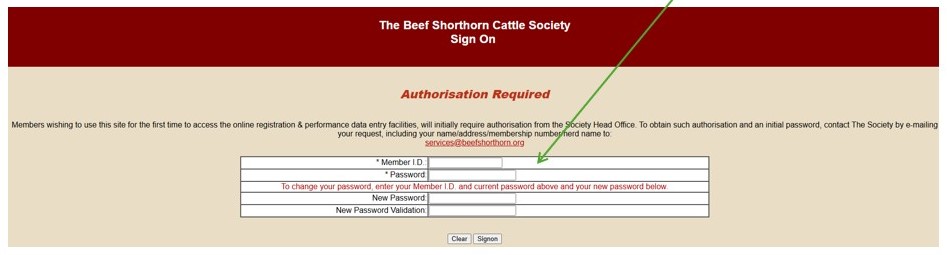
Please contact services@beefshorthorn.org for all password resets or log in issues. These can only be issued/resolved by our admin team. New members will have details of their account within their welcome letter.
Click on ‘Online Transactions’

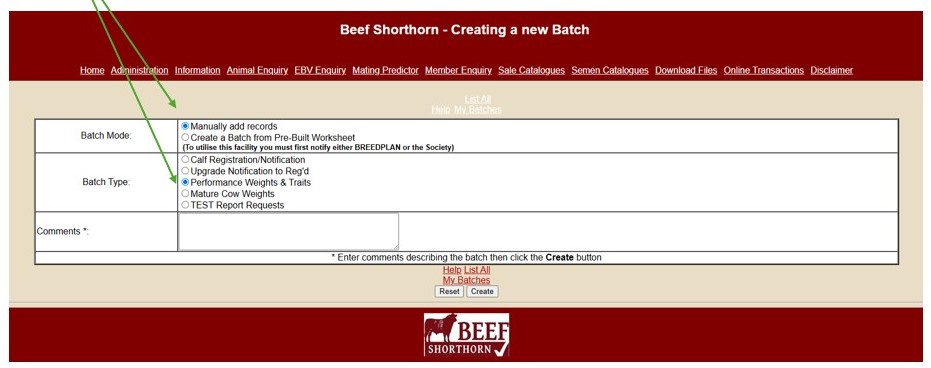
Click on ‘Create a new batch’ (Located directly below the header bar)

The below screen will appear where data can be manually added or uploaded.
To use the upload function you must notify services@beefshorthorn.org and use the datasheet provided to ensure all information is in the correct fields. Instructions for this method will be provided upon request.
NB: The remainder of the instructions below pertain to the manual entry of data.
Select ‘Manually add records’ and ‘Performance weights and traits’ then click the ‘Create’ button.
Make a note of the batch number given.
NB: This is the reference of the transaction which will allow to office to trace your entry should there be an issue.

Make a note of the batch number given.
NB: This is the reference of the transaction which will allow to office to trace your entry should there be an issue.
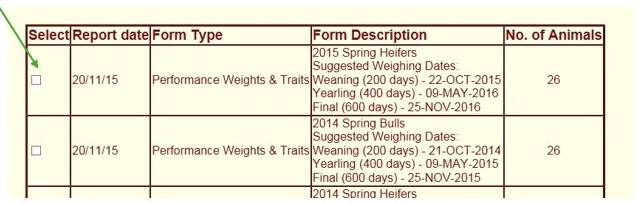
Click the ‘edit’ against each animal identified by ear-tag and enter the weight data.
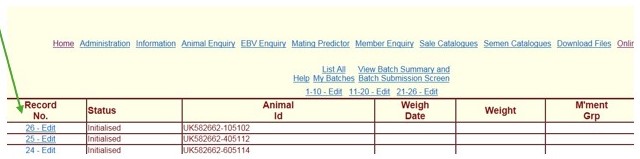
These records then need to be submitted to the Society *** These 2 next steps are key*** otherwise the office does not receive your data.
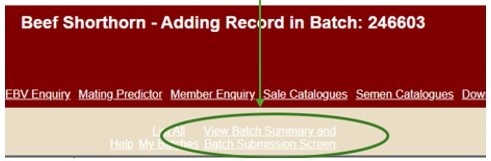
Click the ‘View Batch Summary and Batch Submission Screen’ link at the top of the form page.
Check the number of records matches what you believe you have added.
Click ‘Submit batch to Beef Shorthorn’.
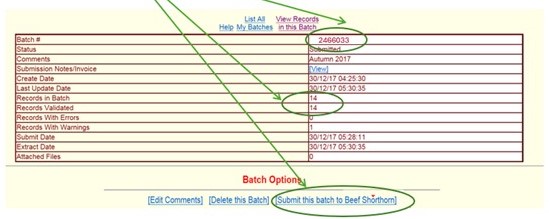
***Please note once a batch is submitted you cannot make any further changes.
If you have made a mistake, please inform the office in writing of any changes and the reason for these.
Data will show after an overnight update online, and will be built into the mid-month statistics update process known as the ‘BLUP’ run with data available around the 20th of the month.


